
Overview
The Vulnerabilities page provides an organization-wide view of open security findings. Use it to review findings across projects, investigate details, export results, and apply triage decisions without opening each scan separately.The Vulnerabilities Workbench is available to organizations where it has been enabled by Corgea. Contact your Corgea representative to request access. Users also need permission to view at least one finding type.
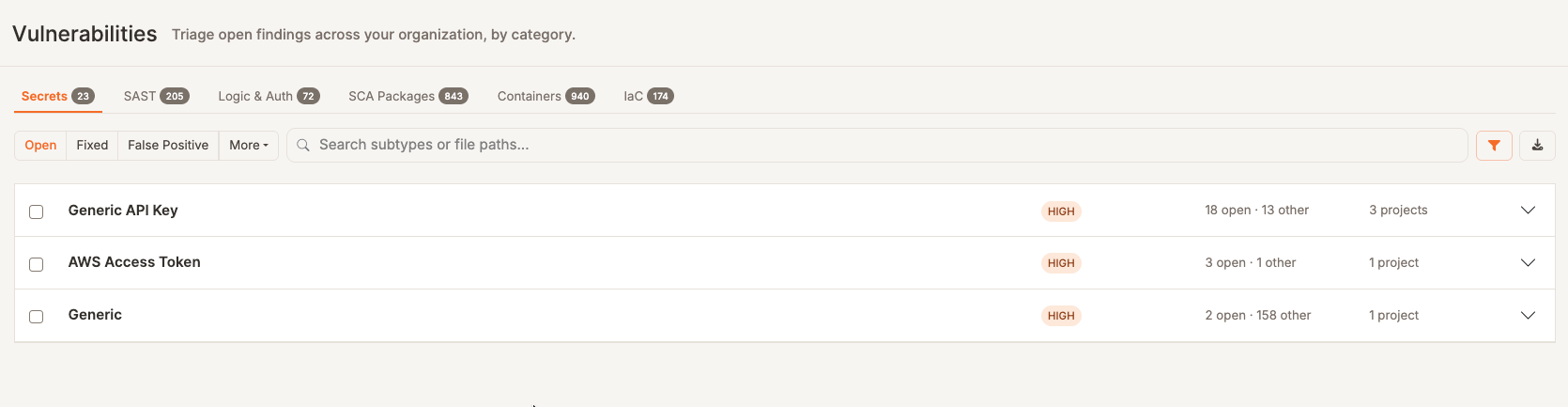
- Secrets
- SAST
- Logic & Auth
- SCA Packages
- Containers
- IaC
Find and review findings
Select a tab, then expand its groups and projects to reach individual findings. Grouping is tailored to each finding type—for example, SCA findings begin with packages, container findings with images, and IaC findings with rules. Counts of 1,000 or more are shortened (for example, 24.6K). Point at a shortened count to see the exact number. Use Previous, Next, and page numbers, when they appear, to move through grouped results. Each list shows the current row range and a total when Corgea has one. Use the status controls to switch between Open, Fixed, False Positive, and the other statuses available for that finding type. Click the filter icon to show severity, project, team, and tag filters. A count on the icon shows how many of those filters are set while the row is hidden. Hiding the row leaves them active. Selecting multiple tags shows findings from projects that have any selected tag. Tag matching is case-sensitive and must match the stored project tag exactly. SCA Packages adds a reachability filter on the main toolbar. Use the Team filter on any tab to show findings from projects owned by the selected team that you have permission to view. Combined with a project filter, it shows only projects that match both filters. The team filter also applies when expanding groups, exporting filtered results, and selecting all findings matching the current filters.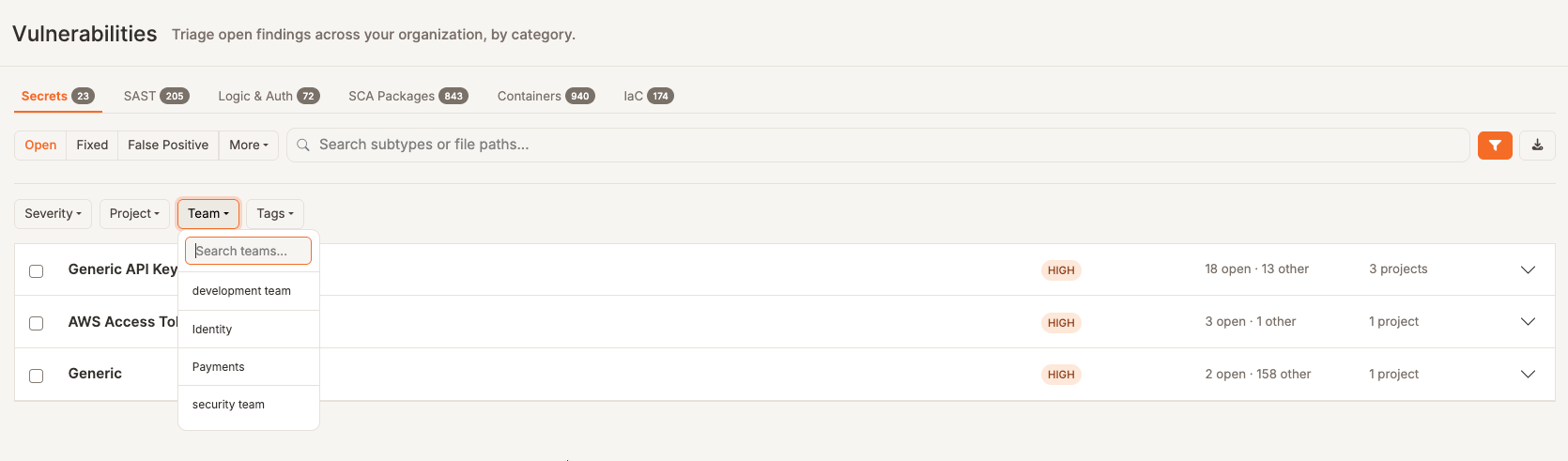
Export findings
Click Export to download a CSV containing the findings that match the active tab, status, search, and filters. The export includes the latest occurrence of each finding and is limited to 25,000 rows. To export only particular findings, select them and click Export selection in the action bar.Triage findings in bulk
Select individual findings or an expanded group. You can also choose Select all findings matching the current filters after making an initial selection. The bulk action bar lets you:- Assign findings to a team member
- Mark findings as false positives
- Export the selection
Assignment and disposition controls appear only when you have permission to change that finding type. Export remains available with view permission.